The Problem: Why You Need Safe Browsing Software
You’re browsing the web, researching for work or school, or just catching up on news. You click a link that looks legitimate—and suddenly your screen is flooded with pop-ups, your system slows down, or you realize you’ve landed on a phishing site designed to steal your passwords.
According to the Hong Kong Computer Emergency Response Team (HKCERT), over 15,000 security incidents were handled in 2025, with more than half involving phishing attacks . The problem isn’t just about viruses anymore—it’s about protecting your identity, your data, and your digital wellbeing.
If you’re searching for safe browsing software, you’re not alone. Millions of individuals, families, and organizations want tools that block threats, filter adult content, and protect privacy. The good news is you don’t need expensive enterprise solutions. Powerful free tools work instantly and require no technical expertise.
Looking for content filtering specifically? Our How to Block Porn on Chrome Free guide provides detailed installation instructions. For understanding AI-powered filtering, see our Can AI Filter Explicit Images Online? article.
What Is Safe Browsing Software?
Safe browsing software encompasses tools designed to protect users while navigating the internet. Modern solutions go far beyond simple antivirus.
Security software, like those tested by AV-Comparatives, primarily focuses on stopping threats before they reach you. In a recent real-world protection test, products from Avast, AVG, Bitdefender, and Kaspersky achieved top “ADVANCED+” ratings for their ability to block malware and phishing attempts .
Key Capabilities
- Real-time threat detection: Scans websites as you visit them to block malware and phishing attempts.
- Content filtering: Restricts access to adult websites, gambling, and other undesirable content, often with customizable category-based blocking.
- Privacy protection: Blocks trackers, cookies, and other methods advertisers use to profile your online behavior.
- Accountability tools: Prevents impulsive disabling of protection and offers partner reporting features for recovery.
- Cross-platform coverage: Protection across Windows, macOS, Android, and iOS devices.
Security vs. Privacy: The Crucial Distinction
When choosing safe browsing software, understanding the difference between security and privacy is critical.
Security is about resistance to attacks: how well the software sandboxes malicious code, blocks malware, and warns against phishing.
Privacy is about who can watch you: how much the software and its maker collect about your behavior and how effectively they block third-party tracking.
A browser or security tool can be excellent at one and mediocre at the other. For example, Google Chrome is considered one of the most secure browsers from a pure attack-resistance standpoint due to its fast patching, strong sandboxing, and effective Safe Browsing service. However, Chrome is built by an advertising company, making its privacy defaults weaker .
Comparison Table: Top Safe Browsing Software (2026)
| Feature | BlockGuard | Kaspersky | Safe Browser (Kiddoware) | Brave Browser | Firefox | DuckDuckGo | LibreWolf | uBlock Origin |
|---|---|---|---|---|---|---|---|---|
| Core Focus | Content Filtering & Recovery | Full Security Suite | Website Filtering | Privacy Browser | Privacy Browser | Private Search | Maximum Privacy | Ad/Tracker Blocking |
| Real-Time Threat Detection | ✅ Content-based | ✅ Yes | ❌ No | ✅ Yes | ✅ Yes | ❌ No | ❌ No | ❌ No |
| Adult Content Blocking | ✅ Yes | ✅ Yes | ✅ Yes | ❌ No | ❌ No | ❌ No | ❌ No | ❌ No |
| Custom Filtering | ✅ Yes | ✅ Yes | ✅ Yes | ❌ No | ❌ No | ❌ No | ❌ No | ✅ Yes |
| Phishing Protection | ❌ No | ✅ Yes | ❌ No | ✅ Yes | ✅ Yes | ❌ No | ❌ No | ❌ No |
| Privacy Features | ✅ Yes | ✅ Yes | ❌ No | ✅ Yes | ✅ Yes | ✅ Yes | ✅ Yes | ✅ Yes |
| Tracker Blocking | ✅ Yes | ✅ Yes | ❌ No | ✅ Yes | ✅ Yes | ✅ Yes | ✅ Yes | ✅ Yes |
| Cross-Platform | ✅ Chrome, Android, Desktop | ✅ Windows, Mac, Android, iOS | ✅ Chrome | ✅ Android, iOS, Linux, Mac, Windows | ✅ Android, iOS, Linux, Mac, Windows | ✅ Android, iOS, Mac, Windows | ✅ Linux, Mac, Windows | ✅ All Browsers |
| Free Version | ✅ Yes | ✅ Yes (Limited) | ✅ Yes | ✅ Yes | ✅ Yes | ✅ Yes | ✅ Yes | ✅ Yes |
| Best For | Content Filtering & Habit Change | Comprehensive Security | Family/Device Filtering | Private Browsing | Independent Privacy | Simple Private Search | Maximum Privacy | Ad & Tracker Blocking |
Detailed Reviews: Top Safe Browsing Software
1. BlockGuard: Best for Content Filtering & Habit Change
Overview
BlockGuard is a free, AI-powered content blocker designed to create a safer, more focused online experience. It’s ideal for families, students, and individuals looking to block adult content and build healthier digital habits.
How It Works
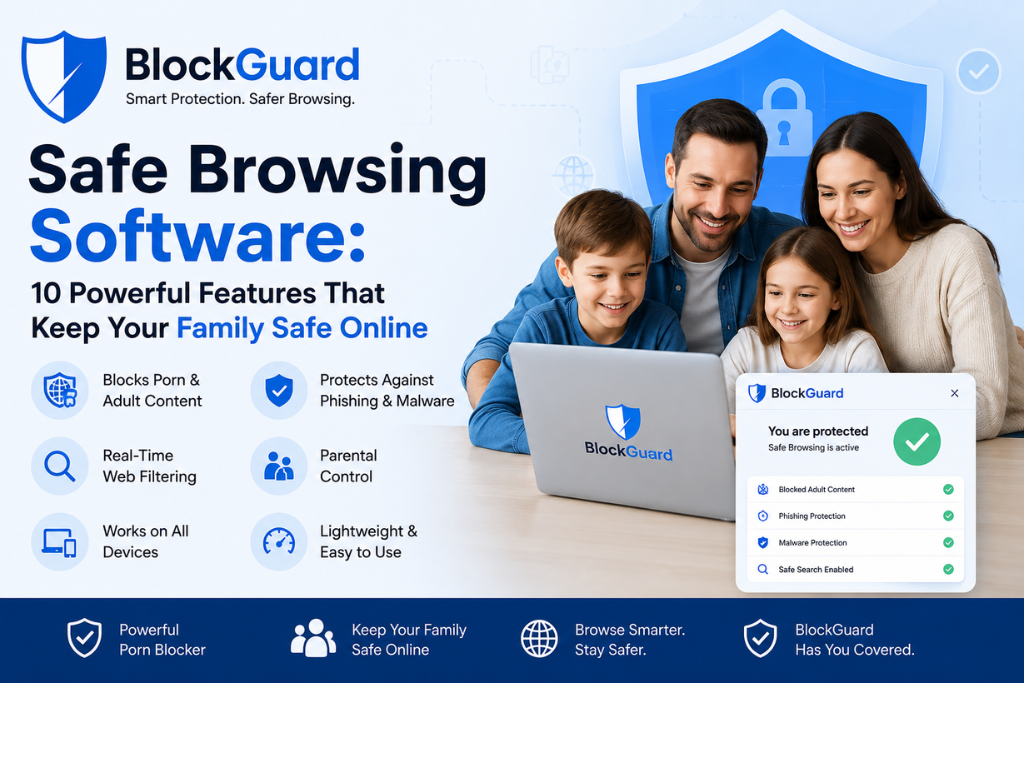
BlockGuard uses advanced filtering technology to analyze websites, URLs, and keywords in real-time. It blocks access to over 3 million adult websites, enforces SafeSearch, and prevents bypass through incognito mode.
Key Features:
- Blocks 3M+ adult websites automatically
- AI-powered filtering to catch newly created adult sites
- SafeSearch enforcement across all major search engines
- Incognito mode protection
- Long Sentence Protection — prevents impulse disabling
- Browsing Insights — tracks habits to identify time-wasting sites
- Block Shorts, Reels, TikTok — reduce distractions
- Usage Limits — set daily time limits for websites
Privacy
BlockGuard does not track or log browsing history.
Best For: Families, students, individuals wanting free, comprehensive content filtering
Platforms: Chrome, Android, Desktop
Pricing: Free forever
2. Kaspersky: Best Comprehensive Security Suite
Overview
Kaspersky offers a full-featured security suite with real-time threat protection and content filtering. According to independent testing, Kaspersky Premium achieved a top “ADVANCED+” rating for protection capabilities . It is also one of the best solutions for filtering adult content, allowing administrators to block web traffic based on categories like adult content, gambling, and more.
How It Works
Kaspersky’s Safe Browsing feature scans web traffic using signature analysis, heuristic analysis, and data from Kaspersky Security Network. It monitors HTTP and HTTPS protocols and can block access to phishing websites and malicious content .
Key Features:
- Real-time threat protection — scans websites and files for malware
- Phishing protection — blocks access to fraudulent websites
- Content filtering — restricts adult websites and other categories
- VPN — encrypts internet connection
- Password manager — secure credential storage
- Cross-platform — Windows, Mac, Android, iOS
Privacy
Kaspersky offers privacy protections but users should review the privacy policy for data handling details.
Best For: Users wanting a comprehensive security suite with content filtering
Platforms: Windows, Mac, Android, iOS
Pricing: Free version available; Premium subscription for full features
3. Safe Browser – Website Filtering Controls: Best for Device Filtering
Overview
Safe Browser is a Chrome extension designed to manage website access and reduce distractions on shared or family devices. It allows account holders to configure category-based and custom filtering rules .
How It Works
When a website is requested, the extension checks its domain against filtering rules, including category databases (adult, social media, gaming, etc.) and custom allowlists/blocklists.
Key Features:
- Category-based website filtering — block adult, social media, gaming
- Custom website rules — allow or block specific websites
- Scheduled browsing access — set times when browsing is allowed
- Password-protected settings
- Premium version unlocks — custom allowlists/blocklists and remote configuration
Privacy
The extension processes website domain names and account identifiers to apply filtering rules. It does not analyze full page content .
Best For: Managing browsing on shared household devices, family computers
Platforms: Chrome
Pricing: Free version with basic filtering; Premium for advanced features
4. Brave Browser: Best for Privacy-First Browsing
Overview
Brave is a Chromium-based browser with aggressive privacy protections, including default ad and tracker blocking and fingerprinting resistance. It is often cited alongside Firefox as the best choice for users wanting privacy without sacrificing usability .
How It Works
Brave’s “Shields” feature blocks third-party ads, trackers, and cookies by default. It also forces HTTPS connections and includes advanced fingerprinting protections that randomize browser fingerprint attributes .
Key Features:
- Shields — blocks ads and trackers by default
- Fingerprint protection — randomizes browser fingerprint, making you less identifiable
- Tor support — private browsing mode via Tor network
- Built-in VPN — optional VPN service for all apps
- Brave Rewards — optional cryptocurrency rewards for viewing ads
- Cross-platform — Android, iOS, Linux, macOS, Windows
Privacy
Brave was one of the only browsers where the EFF’s Cover Your Tracks tool reported a randomized fingerprint, indicating strong protection . PrivacyTests.org also scored Brave highly with 143 passes in its tests .
Best For: Users who want maximum privacy with Chromium’s security
Platforms: Android, iOS, Linux, macOS, Windows
Pricing: Free; optional $9.99/month VPN
5. Firefox: Best Independent Privacy Browser
Overview
Mozilla’s Firefox is a free, open-source browser that is not based on Chromium. It is the top choice for users who want privacy from an independent organization, with excellent tracking protection, a vast library of extensions, and strong privacy defaults . Tuta recommends Firefox as their top pick for privacy overall, and one of the most secure browsers for Android and iPhone .
How It Works
Firefox’s Enhanced Tracking Protection blocks cross-site tracking cookies, cryptominers, and fingerprinters by default. Total Cookie Protection isolates each site’s cookies in separate containers, preventing third-party tracking across sites .
Key Features:
- Enhanced Tracking Protection — blocks a wide range of trackers
- Total Cookie Protection — isolates cookies per site
- Multi-Account Containers — separate browsing activities into color-coded containers
- Facebook Container — prevents Facebook from tracking you across the web
- Open-source — community-audited code
- Cross-platform — Android, iOS, Linux, macOS, Windows
Privacy
The EFF’s Cover Your Tracks tool reports “strong protection against web tracking” for Firefox . Its non-profit ownership ensures privacy is not compromised for profit .
Best For: Users who want a private, independent browser with strong security
Platforms: Android, iOS, Linux, macOS, Windows
Pricing: Free
6. DuckDuckGo: Best for Private Search & Simplicity
Overview
DuckDuckGo has expanded from a private search engine into a standalone browser available for Windows, macOS, Android, and iOS. It is the best choice for users who want a simple, privacy-first browsing experience .
How It Works
The DuckDuckGo browser blocks third-party trackers by default and allows you to clear all browsing data with one click. It also features automatic cookie pop-up rejection and DuckPlayer for ad-free YouTube viewing .
Key Features:
- Automatic cookie rejection — declines cookie consent banners without user interaction
- Fire Button — closes tabs and deletes browsing data instantly
- Tracker blocking — blocks third-party trackers by default
- Duck Player — watch YouTube videos without targeted ads
- Email protection — create @duck.com email aliases
Privacy
DuckDuckGo is privacy-focused by design and does not profile users for advertising .
Best For: Users who want a simple, private browser with strong search privacy
Platforms: Android, iOS, macOS, Windows
Pricing: Free
7. LibreWolf: Best for Maximum Privacy & Zero Telemetry
Overview
LibreWolf is a hardened fork of Firefox that removes all “phoning home” features, telemetry, and data collection. It is recommended for users who want the ultimate in privacy control .
How It Works
LibreWolf comes with uBlock Origin pre-installed, uses DuckDuckGo as the default search engine, and automatically clears browsing data and cookies on exit by default. It disables Google Safe Browsing to avoid sending data to Google .
Key Features:
- No telemetry — removes all data collection
- uBlock Origin pre-installed — ad and tracker blocking
- Clears data on exit — cookies and history are cleared by default
- Privacy-focused default settings — minimal fingerprinting
- Open-source — community-driven
Privacy
LibreWolf earns excellent scores on PrivacyTests.org and the EFF’s Cover Your Tracks test .
Best For: Privacy extremists, users who want maximum control over their data
Platforms: Linux, macOS, Windows
Pricing: Free (open-source)
8. uBlock Origin: Best Free Ad & Tracker Blocker
Overview
uBlock Origin is a lightweight, open-source browser extension that blocks ads, trackers, and malicious scripts. It is widely considered one of the most effective ad blockers available, processing filter rules locally without sending browsing data anywhere .
How It Works
uBlock Origin uses filter lists to block network requests to domains known for advertising, tracking, or malware. It processes all rules locally, ensuring privacy and speed.
Key Features:
- Blocks ads and trackers — across all websites
- Malware protection — blocks known malicious domains
- Lightweight — minimal resource usage
- Customizable — configure filter lists and create custom rules
- Open-source — transparent and community-developed
Privacy
No browsing data is transmitted to external servers. All filtering happens locally.
Best For: Users who want a free, effective ad and tracker blocker
Platforms: All major browsers (Chrome, Edge, Firefox)
Pricing: Free (open-source)
How to Choose the Right Safe Browsing Software
For Comprehensive Content Filtering & Habit Change
BlockGuard offers the most comprehensive free content filtering with AI-powered detection, 3+ million sites blocked, and features like Long Sentence Protection to prevent impulse disabling.
For Full Security Suite Protection
Kaspersky provides comprehensive security with top-rated malware and phishing protection. It is a strong choice for users who need all-in-one security with content filtering.
For Browser-Based Privacy & Security
Firefox offers excellent privacy and security from an independent, non-profit organization. It is the best choice for users who want a secure, private browser without the Chromium ecosystem.
For Maximum Privacy with Chromium Security
Brave combines Chromium’s security architecture with aggressive privacy defaults. It’s ideal for users who want strong privacy but prefer a Chromium-based browser.
For Private Search & Simplicity
DuckDuckGo offers a simple, privacy-first browser with automatic cookie rejection and strong tracker blocking. It’s perfect for users who want a no-fuss private browser.
For Device-Level Family Filtering
Safe Browser (Kiddoware) provides category-based website filtering on Chrome, making it suitable for managing browsing on shared family devices.
Step-by-Step: How to Set Up Safe Browsing Protection
Step 1: Install a Content Blocker
For content filtering, install BlockGuard from the Chrome Web Store. For ad blocking, install uBlock Origin.
Step 2: Switch to a Privacy Browser
Consider switching to Firefox or Brave for enhanced privacy protections. Firefox offers excellent privacy defaults with Enhanced Tracking Protection. Brave provides aggressive privacy protections on Chromium’s secure foundation.
Step 3: Install a Security Suite
For comprehensive protection, install a full security suite like Kaspersky, which offers real-time scanning, phishing protection, and content filtering.
Step 4: Enable SafeSearch
Lock SafeSearch across all major search engines to filter explicit search results.
Step 5: Test Your Protection
Visit a test site for malware protection and verify adult content is blocked.
Expert Quotes
“Using safe cyber practices on home and personal devices protects you and your family from cyber threats. Taking small steps every day to secure your devices can help prevent attacks like identity theft and malware.” — CISA
“According to NIST, implementing effective cybersecurity measures on home and personal devices is essential to protect against evolving threats. Continuous improvement of security controls helps keep pace with new attack vectors.” — NIST
“Mozilla’s goal is to ensure the internet is a global public resource, open and accessible to all. An internet that truly puts people first, where individuals can shape their own experience and are empowered, safe, and independent.” — Mozilla
“Google Safe Browsing helps protect billions of devices and users from dangerous sites, malware, and phishing threats. Safe Browsing protection is available across Google Chrome, Android, and other platforms.” — Google Safe Browsing
Frequently Asked Questions
What is the best safe browsing software for content filtering?
BlockGuard offers the most comprehensive free content filtering with AI-powered detection and over 3 million adult websites blocked.
Which browser is best for privacy?
Firefox is widely recommended for its balance of privacy and security from an independent non-profit. Brave offers aggressive privacy protections on Chromium’s secure foundation.
Is Kaspersky a good security suite?
Yes. Kaspersky achieved a top “ADVANCED+” rating in the AV-Comparatives real-world protection test . It offers comprehensive threat protection, content filtering, and additional features like VPN and password manager.
What is the difference between security and privacy software?
Security software protects against attacks (malware, phishing). Privacy software prevents data collection and tracking. Some tools, like Firefox and Brave, focus on privacy. Others, like Kaspersky, provide comprehensive security with some privacy features.
Can I get safe browsing protection for free?
Yes. BlockGuard, Firefox, Brave, DuckDuckGo, uBlock Origin, and the free versions of Kaspersky all offer strong protection at no cost.
What is the best ad blocker?
uBlock Origin is widely considered one of the most effective and lightweight ad blockers, processing filter rules locally for privacy and speed .
How does Kaspersky’s Safe Browsing work?
Kaspersky’s Safe Browsing scans web traffic for malicious objects using signature analysis, heuristic analysis, and data from Kaspersky Security Network. It can block access to phishing websites and malicious content in real-time .
What is CIPA compliance?
The Children’s Internet Protection Act (CIPA) requires schools and libraries receiving E-rate funding to block or filter internet access to obscene pictures, child pornography, and content harmful to minors. Safe browsing software with content filtering helps achieve CIPA compliance.
How do I enable SafeSearch?
Go to google.com/preferences, check “Turn on SafeSearch,” and click “Lock SafeSearch” to prevent changes.
Can I block adult content on Chrome?
Yes. Install BlockGuard from the Chrome Web Store. It automatically blocks adult websites, enforces SafeSearch, and provides incognito protection.
What is the most privacy-focused browser?
LibreWolf is a hardened fork of Firefox that removes all telemetry and data collection. It is recommended for maximum privacy control .
Is DuckDuckGo a browser or search engine?
DuckDuckGo is now both. It started as a private search engine and has expanded into a standalone browser available for Windows, macOS, Android, and iOS.
What are browser fingerprinting protections?
Fingerprinting protections randomize browser fingerprint attributes (such as screen resolution, installed fonts, and browser extensions) to make you less identifiable across sites. Brave offers strong fingerprinting protection.
What is HTTPS-Only Mode?
HTTPS-Only Mode forces all connections to use HTTPS, preventing downgrade attacks and ensuring your connection is encrypted. Firefox and Brave offer this feature.
Conclusion: Protect Your Digital Life
Safe browsing software is no longer optional—it’s essential for protecting your identity, your data, and your digital wellbeing. Whether you’re looking for comprehensive security, content filtering, or privacy-focused browsing, there’s a tool that fits your needs.
For comprehensive content filtering and habit change, BlockGuard offers AI-powered filtering with 3+ million sites blocked—all at no cost.
For full security suite protection, Kaspersky provides top-rated malware and phishing protection with content filtering.
For privacy-first browsing, Firefox offers excellent privacy from an independent, non-profit organization. Brave provides aggressive privacy protections on Chromium’s secure foundation.
For a simple, private search experience, DuckDuckGo is the best choice with automatic cookie rejection and strong tracker blocking.
Your Next Steps:
- Choose Your Solution
- Content Filtering → BlockGuard
- Full Security → Kaspersky
- Privacy Browser → Firefox or Brave
- Ad Blocking → uBlock Origin
- Set Up Protection
- Install your chosen tools
- Enable SafeSearch and lock it
- Configure privacy settings
- Test Your Protection
- Confirm threat and content blocking works
- Develop Healthy Habits
- Regularly update your browser and security tools
- Practice safe browsing behaviors
Ready to get started?
👉 Install BlockGuard Chrome Extension for Free
👉 Download BlockGuard Android App
👉 Explore BlockGuard Desktop App
👉 Visit BlockGuard Blog for More Guides
External Authority Sources
- AV-Comparatives — Independent Security Software Testing
- CISA — Cybersecurity & Infrastructure Security Agency
- NIST — National Institute of Standards and Technology
- Mozilla Firefox — Privacy Browser
- Brave — Privacy Browser
- DuckDuckGo — Private Search & Browser
- uBlock Origin — Free Ad Blocker
- Google Safe Browsing — Official Site